
Help with Calibration
Maintain instrument accuracy with regular calibration. Follow these steps.
The system is supplied with a factory force calibration (which can be restored at any time). However, if you wish to calibrate at a specific weight, you can perform the following procedure:
Calibrate force
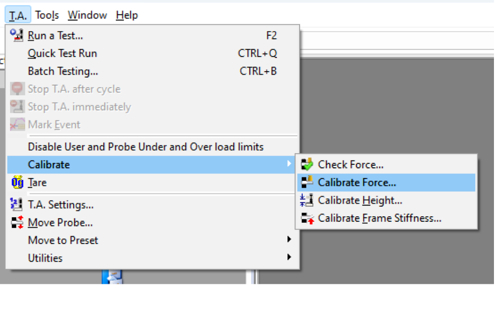
1. From the tool bar menu, click on T.A. > Calibrate > Calibrate Force.
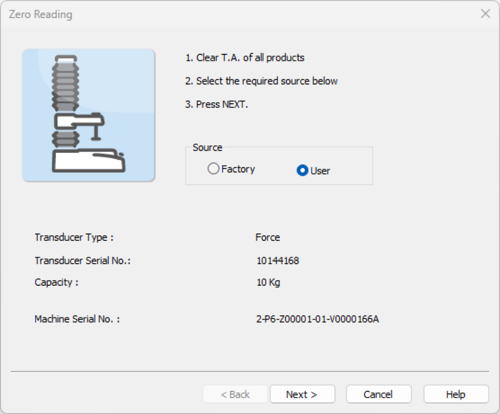
2. Select either Factory or User, as required. The installed Load Cell capacity is identified.
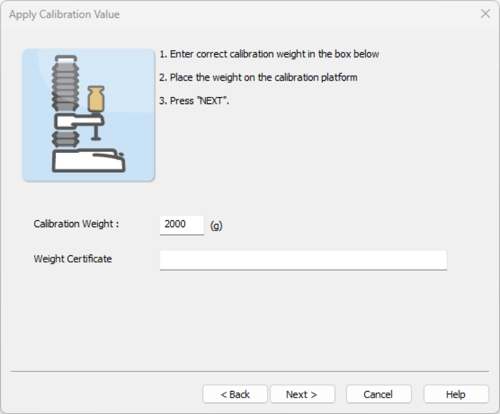
3. Select the calibration weight of your choice.
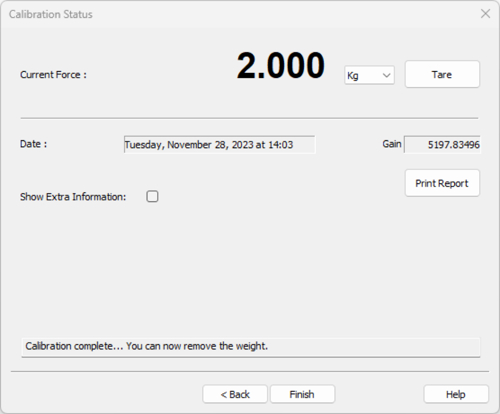
4. This window should be displayed. Remove the weight from the calibration platform.
Calibrate probe height
Only required if you wish to: a: measure in % strain; b: record the height of the product during the test; c: use a button trigger; d: start each test from the same position; e: pre-set probe positions in the Move Probe window.
1. From the tool bar menu, click on T.A. > Calibrate > Calibrate Height.
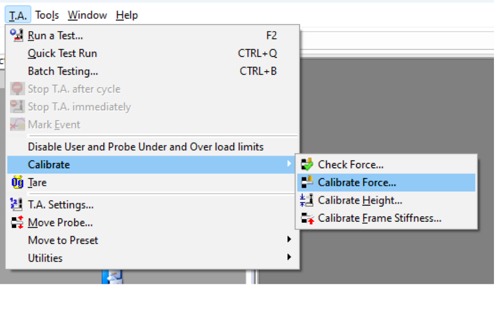
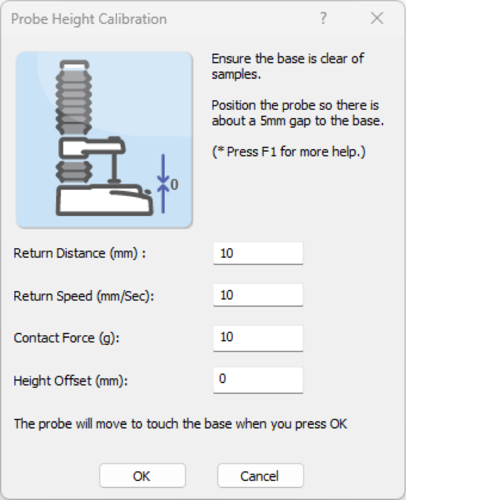
2. Select the Return Distance and the Speed you wish the probe to move to this once it has touched the contact surface (0mm).
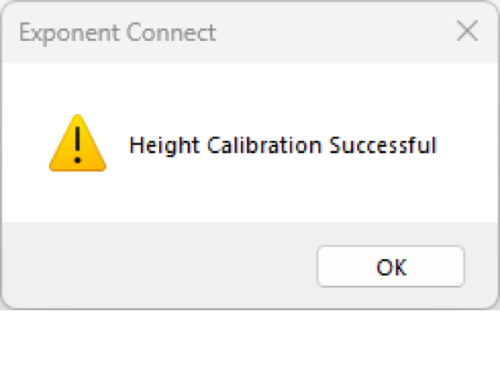
3. If probe height calibration has been successful, this window will be displayed.
Calibration ensures the measured force and distance values reflect true physical values. You should calibrate after moving the instrument, after a load cell change, or if you suspect overload from a previous use.
There’s no strict rule, but as a guideline:
• After any major change (Load Cell swap, overload event)
• If multiple operators use it
• At regular intervals (e.g., weekly/monthly) depending on lab practice
Because the process takes minutes, frequent checks help ensure consistent quality in testing.
• Force calibration ensures the load cell accurately converts electrical signal to force values.
• Height (probe) calibration sets the zero distance reference so that product height and strain are measured correctly.
Not necessarily – calibration frequency should reflect how critical measurement accuracy is for your purposes and how often the instrument setup changes. Daily calibration is possible but often more than needed for stable setups.
Yes. Incorrect calibration can skew force and distance data, leading to misleading comparisons between samples or over time. Regular calibration maintains confidence in data repeatability and comparability.
Use a known calibration weight appropriate for the load cell capacity you intend to utilise - ideally at least 10% of your maximum force range.
If the calibration check or return-to-zero steps don’t match expected results:
• Re-check that the calibration weight is correct
• Confirm the instrument wasn’t recently overloaded
• Contact technical support if results remain inconsistent.
Without proper calibration, force or height values might drift over time, potentially compromising quality control, R&D decisions, or comparative testing. Frequent calibration prevents this risk and is good laboratory practise.